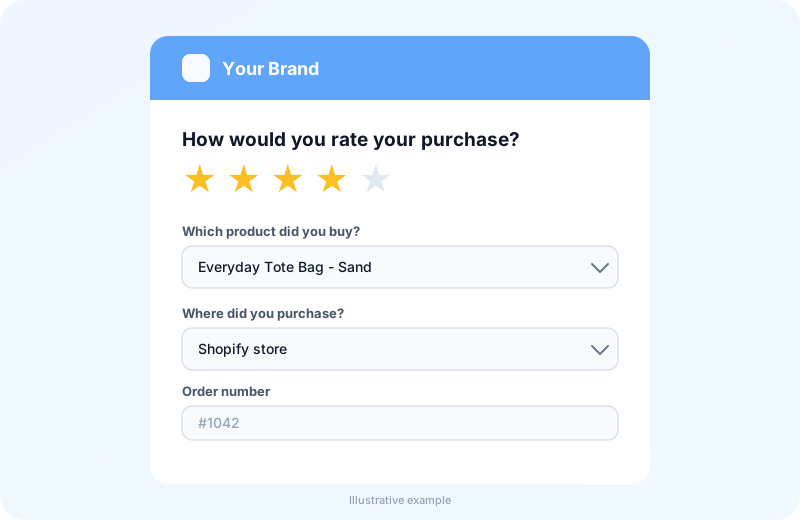
A Shopify review app refers to order-connected review software that turns each Shopify order into a requested, verified customer review. GetReviews takes your Shopify order data, sends the request by email, SMS or QR insert, and sends the buyer to your storefront, Google or a marketplace. Every request carries the order number, so each review traces back to a real purchase.
Want to see a live survey? Book a demo and we will walk you through one.
What Is a Shopify Review App?
A Shopify review app is review software that reads a store’s order data, times a review request to the buyer, and sends the buyer to a chosen destination. The software belongs to the review software class, beside storefront widget apps and marketplace feedback tools. Its attributes are the request trigger, the buyer verification method, the review destination and the send delay. The review destination links the software to the storefront, to Google, and to marketplaces such as Amazon and Walmart. Linking those destinations to a store starts with the Shopify connection itself.
How Does a Shopify Review App Connect to a Shopify Store?
GetReviews connects to a Shopify store through order import and marketplace settings, not through an app install. You export your orders from the Shopify admin and import them as a CSV file. The import carries the order number, the order date and the customer contact details. You then set Shopify as a marketplace in GetReviews and enter your store’s product page address as the review destination. The order date and the send delay decide when each request goes out.
What Are the 4 Types of Shopify Review Apps?
There are 4 types of Shopify review apps based on where the collected review is published. The types are storefront widget apps, external review-link apps, marketplace review apps and survey-first review funnel apps.
Storefront widget apps collect product reviews and display them on product pages, such as Judge.me, Loox and Yotpo.
External review-link apps send buyers to a public profile on Google or Trustpilot, which holds the review outside the store.
Marketplace review apps request feedback on Amazon or Walmart orders, where the review belongs to the marketplace listing.
Survey-first review funnel apps capture a post-purchase survey tied to an order and send the buyer to the review destination the merchant selects, such as GetReviews.
Reading the four types by destination shows a merchant which review a Shopify order produces.
Store Reviews vs Marketplace Reviews: Which One Does the App Collect for a Shopify Order?
A Shopify review app collects a store review for a Shopify order, not a marketplace review. A store review is a rating and comment about the product or the shop, published on the storefront or on Google. A marketplace review is a rating attached to a marketplace listing, and it belongs to the marketplace order that paid for it. Amazon and Walmart tie a verified review to an order placed on their own platform. A Shopify buyer therefore lands on the storefront form or the Google page.
How Does a Shopify Review App Work From Checkout to Published Review?
A Shopify review app works by converting a paid order into a review request and the request into a published review through 5 ordered steps. The steps are order import, request scheduling, request delivery, buyer verification and the buyer’s choice to publish.
1
Order data arrives
You export your Shopify orders and import them into GetReviews as a CSV.
2
Request is scheduled
A campaign queues each order for the delay you set after the order date.
3
Buyer is reached
The request goes out by email or SMS, or the buyer scans a QR insert in the package.
4
Buyer is verified
The survey checks the order number the buyer enters against your imported orders.
5
Buyer chooses
The buyer decides whether to publish a review at the destination you set.
Running the five steps in order turns checkout data into published social proof, with the send delay setting the pace.
What Triggers the Review Request: Order Fulfillment or Delivery?
Delivery is the right moment for a review request, not order fulfillment, and GetReviews approximates delivery with a delay after the order date. Order fulfillment is the moment the merchant marks the items shipped, which is before the buyer holds the product. A request sent at fulfillment reaches a buyer who cannot yet rate the product. GetReviews does not read carrier scans. It sends each request a set number of days after the order date, so merchants pick a delay that covers their shipping time plus a few days of use.
How Does a Shopify Order Number Confirm a Real Buyer?
A Shopify order number confirms a real buyer by matching the number the customer types against the orders imported from your store. The order number is a unique identifier that Shopify assigns at checkout. A lookup checks the entered number against the imported order list before the response is accepted. An order number that does not match returns an error, and a validated order number can be used once. Verification keeps fake entries out of the response data.
Why Do Shopify Stores Need a Review App?
Shopify stores need a review app because reviews rarely appear without a request. There are 3 reasons a store needs the app. The reasons are the low unrequested review rate, the verification gap and the destination gap.
The low unrequested review rate leaves most orders without any rating.
The verification gap lets unverified text onto product pages without an order check.
The destination gap leaves reviews scattered across the store, Google and marketplaces without one process.
Naming the three reasons shows why a store benefits from requesting each review.
How Many Shopify Orders Turn Into Reviews Without a Request?
Fewer than 2 of every 100 Shopify orders turn into a review without a request. The unrequested review rate is the share of orders that produce a rating with no prompt from the store. GetReviews estimates the unrequested rate at 1 to 2 per 100 orders, and the requested rate at 5 to 10 per 100 orders. The requested rate rises with good timing and a one-step form. Raising the rate is the job of the request features, which GetReviews includes.
What Does the GetReviews Shopify Review App Include?
GetReviews includes 6 features for Shopify stores that run from order import to email list sync. The features are order import, package insert QR codes, post-purchase surveys, review destinations, customer feedback follow-up, and Klaviyo, Mailchimp and Shopify customer sync. Each feature attaches to one point in the checkout-to-review sequence.
1. Order Import for Automated Review Requests
Order import is the upload of your Shopify orders into GetReviews as a CSV file. The import carries the order number, the order date and the customer contact details. Automated review requests are emails or SMS messages that a campaign schedules a set number of days after the order date. A merchant sets the delay once, and the campaign applies it to every imported order.
Merchants import orders on their own schedule and avoid retyping order lists by hand. Bulk import is included on every plan.
2. Package Insert QR Codes for Shopify Fulfillment
A package insert QR code is a printed card in the shipped parcel that opens the survey on the buyer’s phone. The card carries a QR code that encodes the survey link. The buyer scans the code and enters the Shopify order number on the survey. The survey matches the entered number to your imported orders.
The insert reaches the buyer at the unboxing moment, which is a high-intent point. GetReviews includes an insert card designer for your logo, colors and headline.
3. Post-Purchase Surveys Tied to Order Numbers
A post-purchase survey is a short questionnaire the buyer completes after delivery, tied to one order number. The survey asks for a star rating and review text, and it can include product questions the merchant chooses. The order number links each answer to the product and the order date.
4. Review Destinations for Shopify Buyers: Your Store, Google and Marketplaces
A review destination is the public page where a buyer can publish a review. There are 3 destination groups. The groups are your store, Google and marketplaces. The store destination sends the buyer to the product page on your Shopify store, where your review widget collects the review. The Google destination sends the buyer to your Google review page. The marketplace destination sends the buyer to Amazon or Walmart only for orders that originated on that marketplace.
5. Customer Feedback Follow-Up
Customer feedback follow-up is a way for a buyer to tell the merchant about a problem. Buyers whose rating falls under the threshold the merchant sets are offered a way to send feedback. When the buyer includes written feedback and contact details, GetReviews alerts the team with the order and the contact.
Support can then resolve an issue such as a damaged item or a late parcel.
6. Klaviyo, Mailchimp and Shopify Customer Sync
Klaviyo, Mailchimp and Shopify customer sync is the push of each survey response into the merchant’s tools. Klaviyo is an ecommerce email and SMS platform, and Mailchimp is an email marketing platform. The sync sends the contact details and survey answers to the platform, and the Shopify integration can add respondents to your store as customers.
Merchants build segments once and every new response updates them. Marketing lists receive only buyers who ticked the marketing opt-in.
Which Review Rules Apply to a Shopify Store?
Three review rules apply to a Shopify store, and the rules come from the FTC, from Google and from the marketplace, not from Shopify. The rules are listed below.
The FTC Consumer Reviews and Testimonials Rule (2024) bans fake reviews, bans incentives tied to a star rating and bans suppression of negative reviews.
The Google review policy bans incentives for a Google review.
The marketplace review policy on Amazon and Walmart bans paid or discounted reviews on a listing.
Applying the three rules together answers whether a store can offer a discount code.
Can a Shopify Store Offer a Discount Code for a Review?
A Shopify store can offer a discount code for a storefront review only with care, and only when the offer does not depend on the star rating. A discount code is a checkout coupon that reduces the next order price. The FTC rule bans incentives that are conditioned on a particular sentiment, and an incentive should be disclosed with the review. Google and Amazon forbid an incentive for a review on their platforms. The safe practice is to keep any reward for finishing a survey separate from the review, and to check the current rules with a legal adviser.
Do Shopify Review Apps Have to Show Negative Reviews?
Yes, Shopify review apps have to show negative reviews, since the FTC rule prohibits suppressing a submitted review because of its rating. A negative review is a published 1-star or 2-star rating with its comment. A widget that displays only 4-star and 5-star reviews breaks the rule. Merchants display every published rating that meets their stated guidelines and reply to the low ones.
How Much Does a Shopify Review App Cost?
A Shopify review app costs a monthly subscription, and prices vary by app and by feature depth. GetReviews prices its plans by the number of reviews collected each month, not by order volume, and every plan includes bulk order import, QR insert campaigns and post-purchase surveys. Matching the plan to the reviews you expect to collect is the first step in choosing the app.
Choosing a Shopify review app follows 5 steps, which are listed below.
Match the send delay to delivery, so the request lands after the unboxing.
Confirm order-number verification on every review form.
Check the destination list for the storefront, Google and the marketplaces the store sells on.
Test how the app works alongside the widget app already installed.
Compare the plan price against the number of reviews you expect to collect.
Working through the five steps narrows the choice to software that fits the current stack, including Judge.me, Loox or Yotpo.
Can a Shopify Review App Work Alongside Judge.me, Loox or Yotpo?
Yes, a review collection app such as GetReviews can run alongside Judge.me, Loox or Yotpo, because the two kinds of app own different steps of the review sequence. Judge.me, Loox and Yotpo are storefront widget apps that store and render product reviews inside the product page. GetReviews is a collection layer that requests the review, verifies the order and sends the buyer to a destination. The buyer can land on your product page, where the widget form lives, or on your Google page. The widget keeps the display, and the collection layer raises the request rate that a plain email leaves low.
Shopify Review App vs Shopify Email Review Requests: Why a Plain Email Underperforms
A Shopify review app and a Shopify Email review request both ask a buyer for a review. The two differ in trigger, verification and destination. Shopify Email is Shopify’s built-in marketing email tool, and a review request from it is a one-off campaign sent to a customer segment. The table below compares the two.
Swipe the table sideways to compare →
GetReviews review requests versus Shopify Email review requests
Dimension
GetReviews review app
Shopify Email review request
Trigger
A set delay after each order date
Campaign date per segment
Verification
Order number on the survey
No order check
Channels
Email, SMS and QR insert
Email
Destination
Store, Google or marketplace
Whatever link the email holds
Common misreading
A review app replaces Shopify Email? No, the two send different message types
A newsletter tool verifies buyers? No, it does not check orders
A plain email underperforms since it lands on a campaign date, not on a timed date per order. The review app owns the per-order request, and Shopify Email owns the newsletter.
Which Shopify Merchants Use a Review App?
Two merchant groups use a Shopify review app, grouped by sales channel. The groups are DTC brands selling only on Shopify and hybrid brands selling on Shopify and Amazon. Each group is defined below.
DTC Brands Selling Only on Shopify
A DTC brand selling only on Shopify is a direct-to-consumer (DTC) merchant whose every order originates on one Shopify storefront. The single channel sends every review to the storefront widget or to Google. The brand relies on the storefront review count as its main social proof. Single-channel brands point the survey at their own product pages and use the Google destination for a seller profile.
Hybrid Brands Selling on Shopify and Amazon
A hybrid brand selling on Shopify and Amazon is a merchant that fulfils orders from both a storefront and a marketplace account. The two channels produce two review types, and each type stays with the channel that produced the order. Shopify orders go to the store or Google, and Amazon orders go to the Amazon listing. One GetReviews account holds both marketplaces, and the survey asks where the buyer purchased.
Besides Review Requests, What Else Builds Trust on a Shopify Store?
Three trust builders beside review requests work on a Shopify store, each drawn from the same order data. The builders are customer photos and videos, insert card design for Shopify packages, and quick follow-up on problems. Each builder is defined below.
Customer Photos and Videos on Product Pages
Customer photos and videos are buyer-made media that show the product in use. A photo shows the product in use, and a video shows the unboxing or the fit. GetReviews collects customer videos through its Social Proof + UGC product, where the buyer gives consent for the brand to use the clip.
Insert Card Design for Shopify Packages
Insert card design is the layout of the printed review card placed in every Shopify package. A card carries the brand logo, a one-line ask, the QR code and the order-number field. The one-line ask names the review, not a discount, so the card stays inside the review rules. Merchants place the card on top of the product.
Following Up on Problems Quickly
Following up on problems quickly is the practice of answering a buyer who reports a delivery or product issue. When a buyer leaves written feedback and contact details, GetReviews alerts the team so support can act the same day. Support can replace the item or refund the order.
No. GetReviews works with Shopify through order import and marketplace settings rather than an app install. You export your Shopify orders as a CSV, import them, and set your store's product page as the review destination.
Does a Shopify review app also display reviews on product pages?
A storefront widget app displays reviews on product pages. GetReviews focuses on collecting verified reviews and sending buyers to the destination you choose, so the display stays with your widget app or the Google profile.
Does a Shopify review app add scripts that slow down the storefront?
GetReviews collection runs through email, SMS and QR inserts and a survey page hosted by GetReviews, so collecting reviews does not add a script to your storefront. A widget app adds its own display script for the review gallery.
Can Shopify customers leave a review without a store account?
Yes. Shopify customers can leave a review without a store account, since the order number verifies the buyer instead of a login.
How many days after delivery should a Shopify review request go out?
A Shopify review request should go out 3 to 7 days after delivery. GetReviews counts the delay from the order date, so set a delay that covers your shipping time plus 3 to 7 days. Consumable products sit at the short end, and durable products sit at the long end.
Can survey responses be added to Shopify or Klaviyo?
Yes. GetReviews can add survey respondents to your Shopify store as customers and send responses to Klaviyo, Mailchimp, Zapier and Google Sheets. Email marketing tools receive only buyers who ticked the marketing opt-in.
Do Shopify review apps have to show negative reviews?
Yes. The FTC rule prohibits suppressing a submitted review because of its rating, so a store should show every published review that meets its stated guidelines.